VEON RC-NZ Smart Android TV Replacement Remote Control
Lost or broken your VEON TV remote? This quality replacement remote control is designed specifically for VEON RC-NZ Smart 4K UHD LED HDTV Android TV models. It works straight out of the box — no complicated setup or programming required — so you can get back to watching in minutes.
Key Features
-
Instant plug-and-play — ready to use as soon as batteries are inserted
-
Dual wireless technology — RF & IR (433 MHz) for reliable, responsive performance
-
CE certified — meets international safety and quality standards
-
Individually tested — every button is professionally tested before dispatch
-
No app required — simple, straightforward remote operation
-
Lightweight & ergonomic — comfortable to hold during extended use
Specifications
-
Brand: Tungcore
-
Compatible Model: VEON RC-NZ Smart 4K UHD LED HDTV Android TV
-
Wireless Technology: RF & IR
-
Frequency: 433 MHz
-
Channels: 8
-
Certification: CE
-
App Support: No
-
Batteries Required: 2 × AAA (not included)
Compatibility
This remote is designed for VEON RC-NZ Smart 4K UHD LED HDTV Android TV models sold in New Zealand.
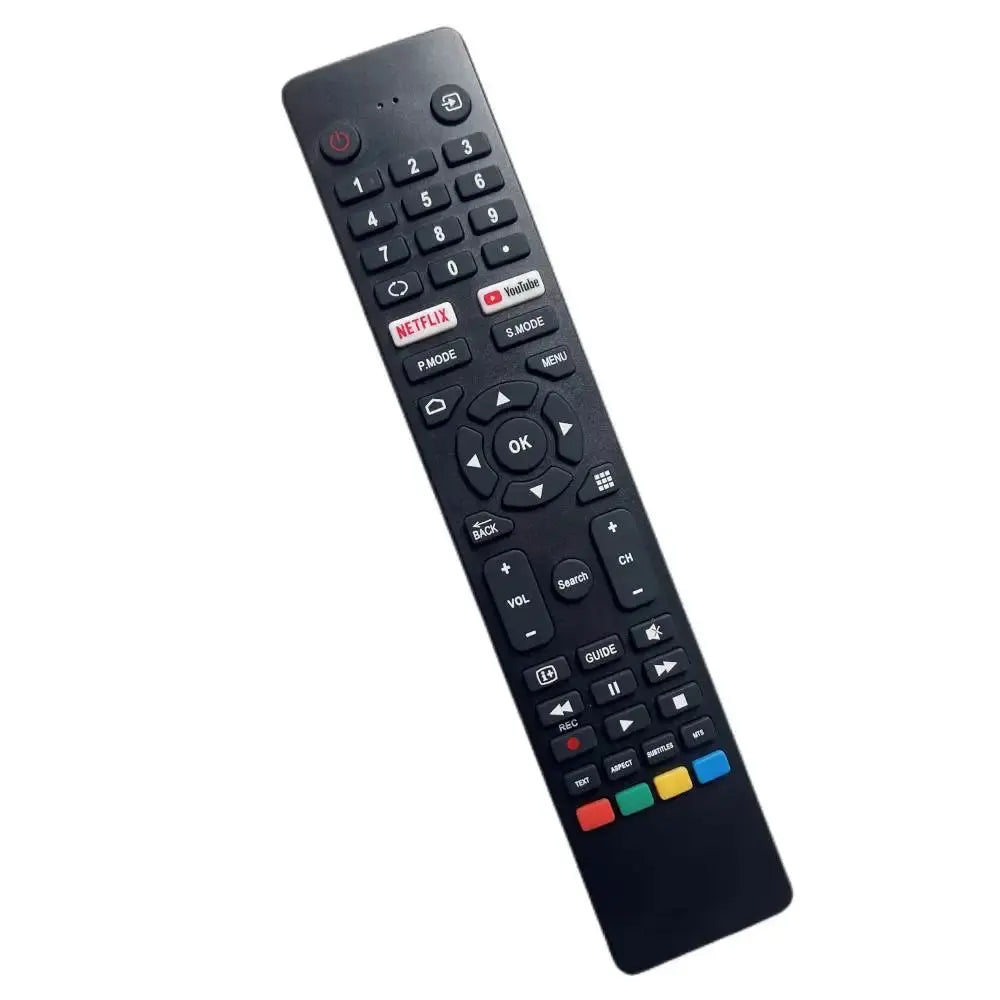
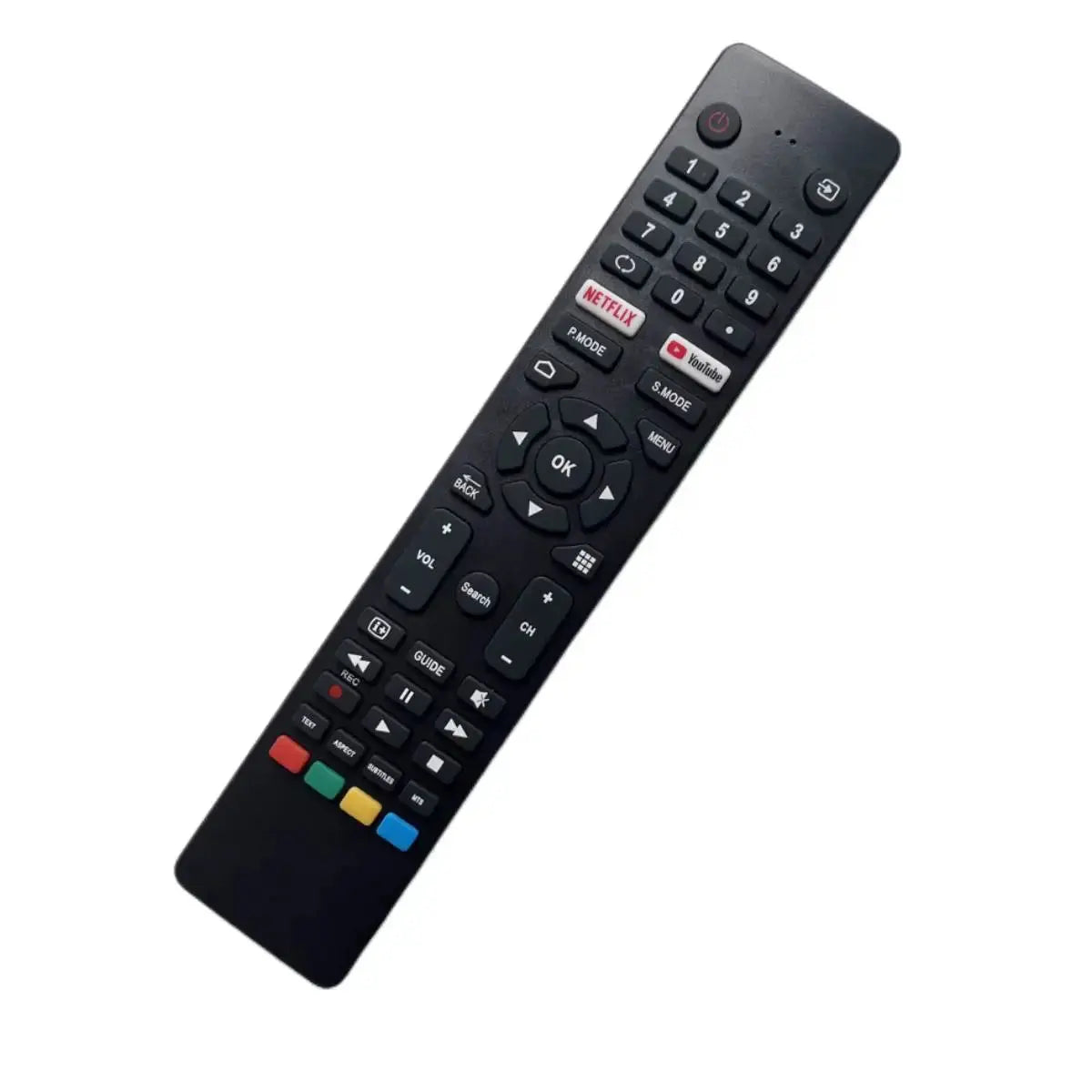
Before purchasing: Please compare the button layout of your original remote with the product images to confirm compatibility. Your TV model number is a useful guide, but button layout matching is the most reliable way to ensure a correct fit. Contact us before ordering if you're unsure — we're happy to help.
What's in the Box
- 1 × VEON RC-NZ Replacement Remote Control
2 × AAA batteries are required but not included.
Frequently Asked Questions
Will this remote work with my VEON TV?
This remote is compatible with VEON RC-NZ Smart 4K UHD LED HDTV Android TV models. We recommend comparing the button layout of your original remote with the product images before purchasing. If you're unsure, please contact us and we'll confirm compatibility for you.
Do I need to program this remote?
No programming is needed. Simply insert 2 × AAA batteries and the remote will work immediately with your compatible VEON TV.
Are batteries included?
No, batteries are not included. You will need 2 × AAA batteries, available at most supermarkets and electronics stores.
How do I test if the remote is working?
Open your smartphone's camera app, point the remote's transmitter (the small bulb at the top) toward the lens, and press any button. If working correctly, you'll see a light flash on your phone screen. Note: this test may not work on all iPhone models due to built-in IR filters.
What if some buttons aren't responding?
Remove the batteries, press and hold any button for 5 seconds, then reinsert the batteries to reset the remote. If the issue continues, please contact us — we're here to help troubleshoot.