Sony RMF-TX310U Voice Replacement Remote – Sony BRAVIA 4K Smart TV
Lost or broken your Sony BRAVIA remote? The RMF-TX310U is a voice-enabled replacement remote with built-in microphone, compatible with a wide range of Sony BRAVIA 4K Smart TVs in the XBR-X800G, XBR-X900F, XBR-X850F, and XBR-A8G series. Requires a one-time Bluetooth pairing for voice functions — standard IR functions work immediately after pairing.
Key Features
-
Voice Control with Mic – Built-in microphone for hands-free voice search and smart TV navigation.
-
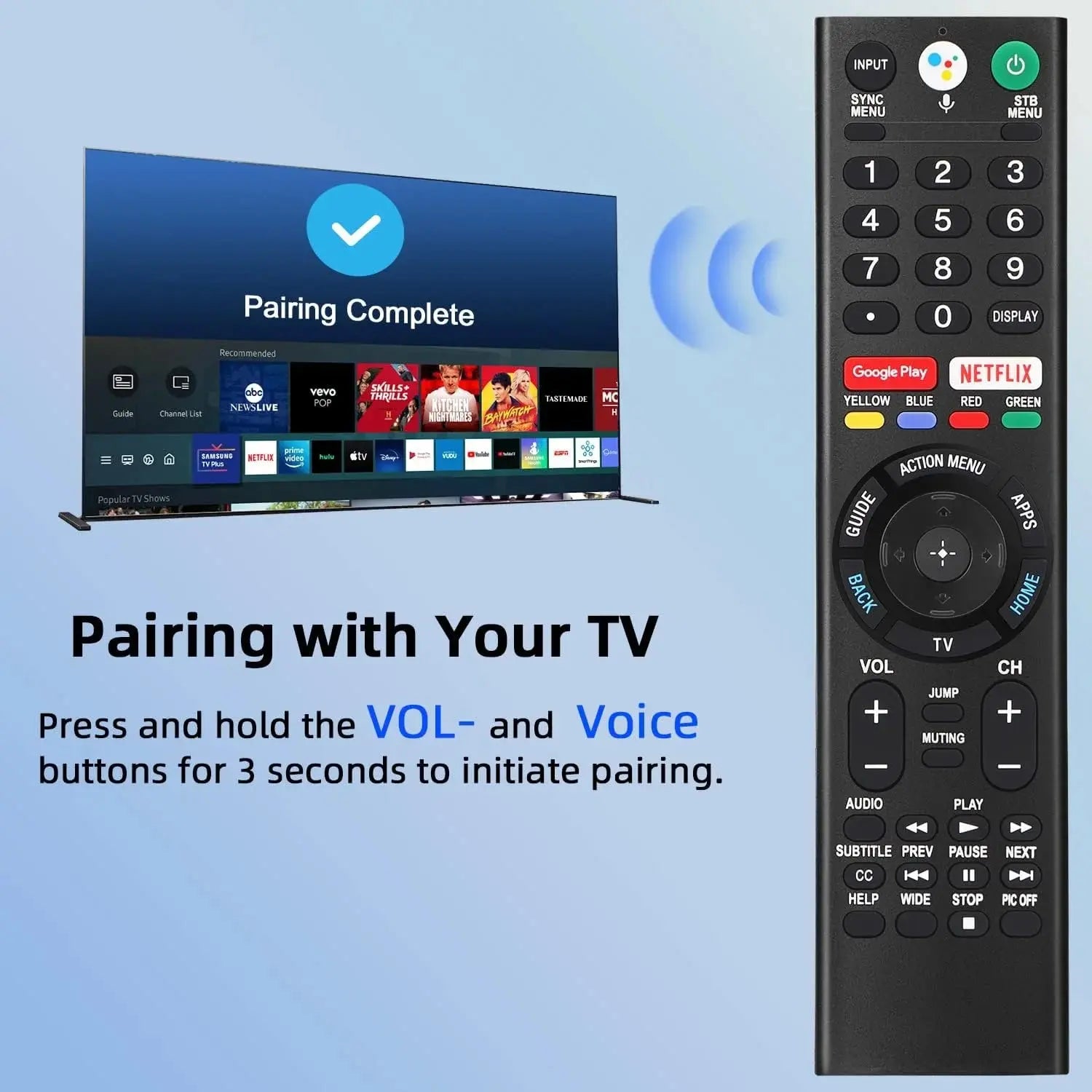
Bluetooth Pairing Required for Voice – Pair once by holding the VOL– and Mic buttons simultaneously for 3 seconds. Voice remote is one-to-one — ensure no other remotes are paired to your TV at the same time.
-
Plug-and-Play IR Functions – Standard IR controls work immediately after pairing. Insert 2 × AAA batteries (not included) to get started.
-
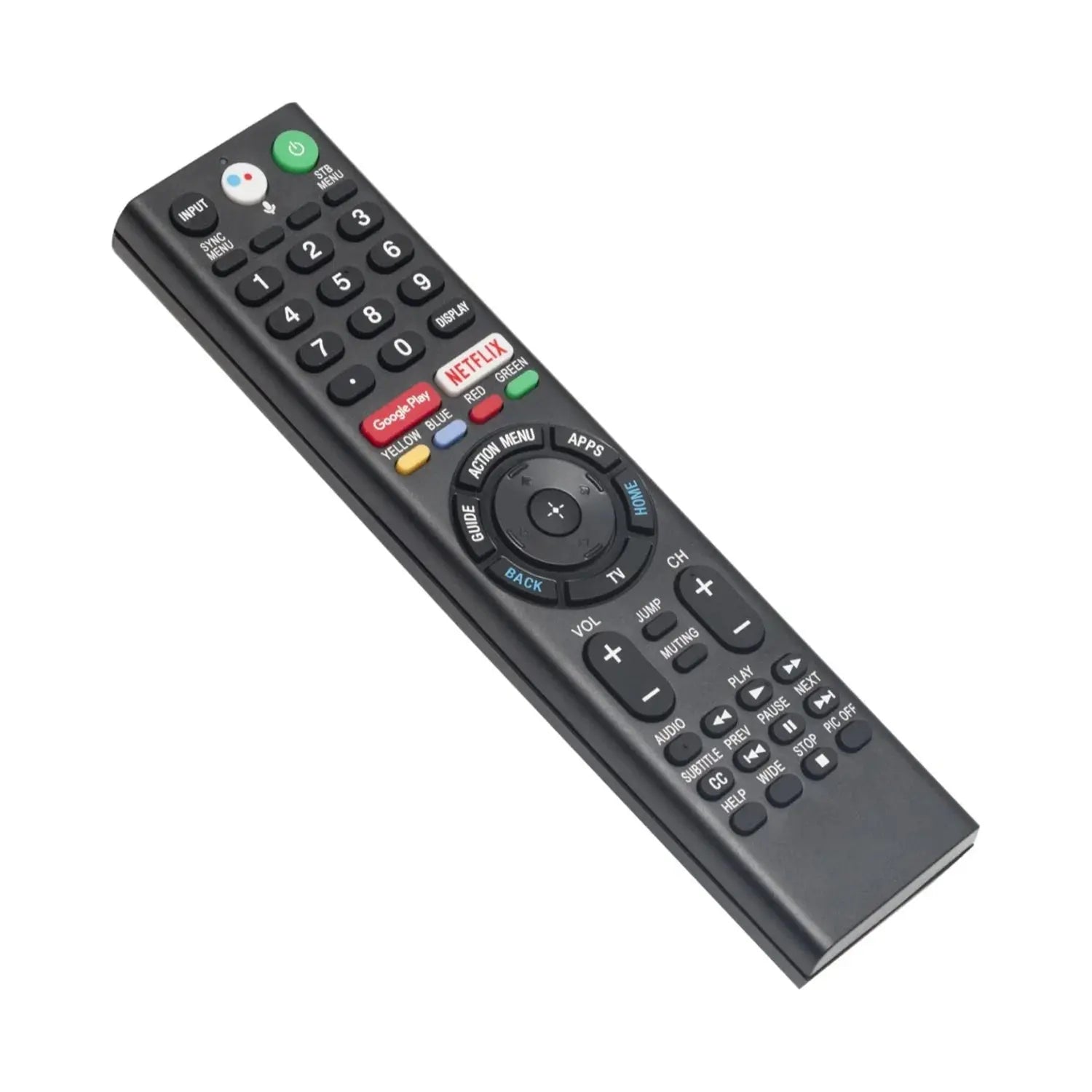
Full Button Layout – All essential controls including power, volume, input, home, back, menu, Netflix, and media playback.
-
Reliable IR Signal – Infrared transmission for fast, responsive control.
Compatible Sony BRAVIA Models
- XBR-43X800G, XBR-49X800G, XBR-55X800G, XBR-65X800G, XBR-75X800G, XBR-85X800G
- XBR-49X900F, XBR-55X900F, XBR-65X900F, XBR-75X900F, XBR-85X900F
- XBR-49X850F, XBR-55X850F, XBR-65X850F, XBR-75X850F, XBR-85X850F
- XBR-55A8G, XBR-65A8G
- XBR-60X830F, XBR-70X830F, XBR-85X855F
Not sure if this remote fits your TV? Check your original remote model number (printed on the back) or contact us before purchasing — we’re happy to help.
Specifications
-
Model Number: RMF-TX310U
-
Signal Type: Infrared (IR) + Bluetooth (voice)
-
Batteries Required: 2 × AAA (not included)
-
App Support: No
-
Hazardous Chemicals: None
What’s in the Box
- 1 × RMF-TX310U Voice Replacement Remote
- Batteries not included
Frequently Asked Questions
How do I pair the voice function?
Hold the VOL– and Mic buttons simultaneously for 3 seconds to initiate Bluetooth pairing. Make sure no other remotes are paired to your TV at the same time.
My original remote doesn’t have voice — will this work?
Yes, but you’ll need to enable voice control in your TV’s settings first. Go to the TV menu, find the Voice Control setting, and change it from Disable to Active. This is a hidden setting on some Sony BRAVIA models.
Is this an official Sony product?
No. This is a high-quality third-party replacement remote designed to be fully compatible with the listed Sony BRAVIA models. It is not manufactured by or affiliated with Sony.
What batteries does this remote use?
This remote requires 2 × AAA batteries, which are not included.
Important Notice: This is a third-party replacement remote. Please verify your TV model before purchasing. Our team is happy to assist with compatibility questions.