Choosing the right replacement TV remote control for your Roku TV can be challenging, especially with the myriad of options available. When considering a universal remote control, it’s essential to ensure its compatibility with all your devices, providing seamless integration and ease of use. Here's how you can make the right choice.
Table of Contents
- Table of Contents
- Key Considerations in Choosing a Replacement or Universal Remote
- 1. Compatibility with Roku TV
- 2. Ease of Use
- 3. Infrared or Bluetooth?
- 4. Support for Multiple Devices
- 5. Durability and Design
- Why Universal Remote Controls?
- Conclusion
- FAQs
Key Considerations in Choosing a Replacement or Universal Remote
1. Compatibility with Roku TV
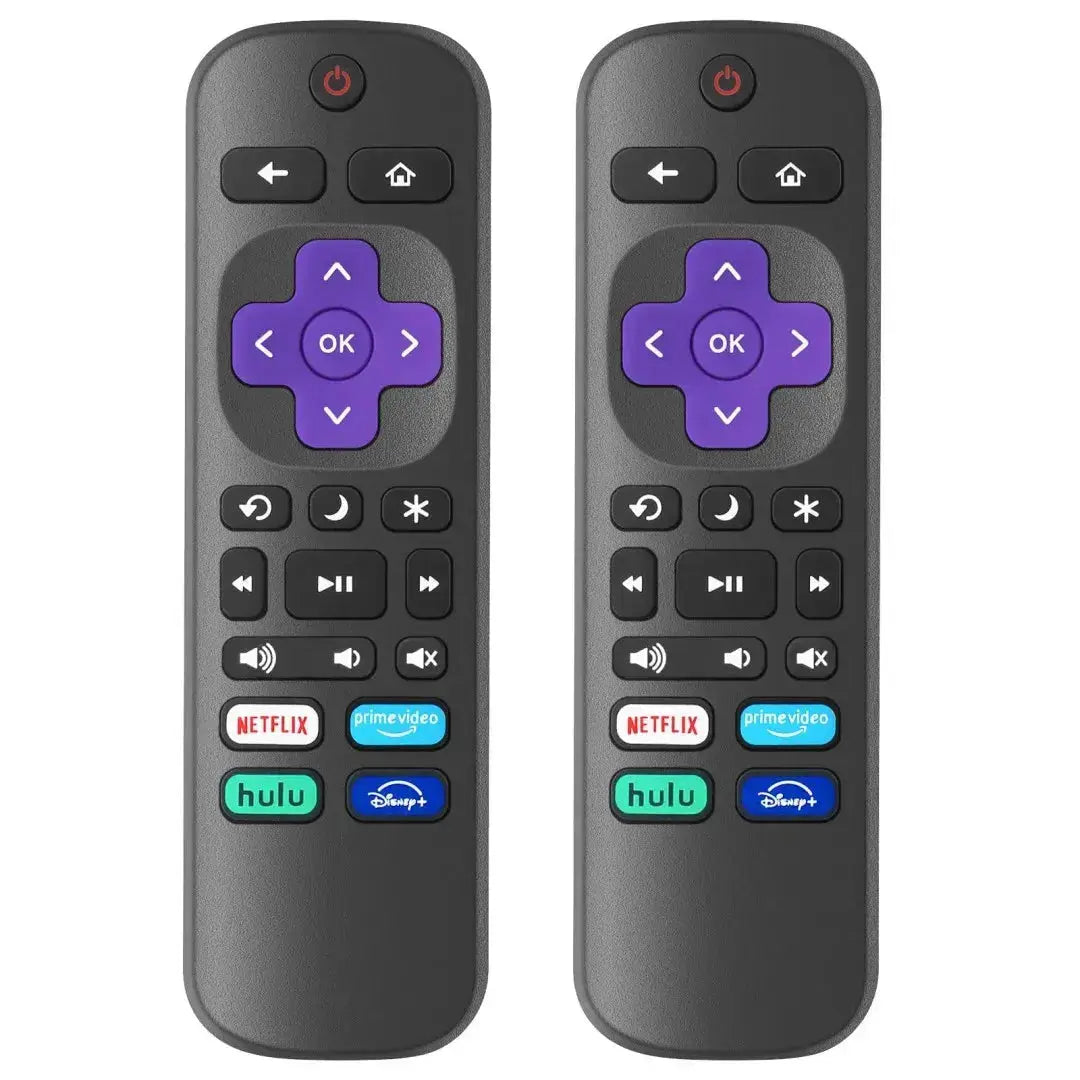
Not all remote controls are created equal, and while many might claim universal compatibility, it's crucial to ensure that the remote you choose is specifically designed to work with Roku TVs. For instance, Replacement TV Remote Controls for Roku TV, Infrared Remote ONLY for TV is a great option. It’s exclusively designed for Roku series TVs such as TCL, Hisense, Onn, Sharp, Element, Westinghouse, Philips, Insignia, JVC, RCA, and Hitachi.
2. Ease of Use
Look for remotes that do not require programming. For Roku TV users, an easy-to-use remote like the aforementioned product does not require any setup. Simply point and use!
3. Infrared or Bluetooth?
The choice between infrared (IR) and Bluetooth communication is significant. IR remotes, like the one mentioned, are straightforward and do not require pairing. However, ensure that your setup allows for a clear line of sight between the remote and the TV sensor.
4. Support for Multiple Devices
While the focus might be on Roku TVs, a versatile remote that can handle multiple devices offers additional convenience. However, the remote you choose should ideally serve as an uncomplicated replacement for your specific TV brand without causing interference or requiring complex setups.
5. Durability and Design
Select a remote that is not only functional but also designed for everyday use. A black, well-constructed remote blends effortlessly with most TV setups.
Why Universal Remote Controls?
Universal remotes provide the versatility needed for households with multiple devices from different brands. If you're looking to buy TV remote controls for all brands, opting for a universal device might be beneficial, allowing you to control various electronics using a single remote.
Conclusion
Finding the right replacement TV remote control for your Roku TV - whether it's a specific replacement or a universal remote - should focus on compatibility, ease of use, and durability. Choosing the right product ensures a hassle-free TV experience and seamless control over your entertainment system.
For more information and to explore more options for your needs, visit Magic Remotes.
Explore how you can streamline your TV setup with compatible remotes and make your viewing experience easier and more enjoyable.
By prioritizing these aspects, you can make an informed decision when deciding to buy TV remote controls for all brands, whether seeking a replacement or a universal remote.
FAQs
What should I consider when choosing a replacement remote control for my Roku TV?
When selecting a replacement remote control for your Roku TV, consider compatibility with your specific TV model, ease of use, and whether programming is required. Look for remotes designed specifically for Roku TVs, as they can often control basic functions without complex setup.
Are universal remotes compatible with all Roku TV brands?
Not all universal remotes support every Roku TV brand. It is essential to check the remote's specifications for compatibility with your specific TV brand, such as TCL, Hisense, or Westinghouse, to ensure it can communicate properly.
Do I need to program the replacement remote to use it with my Roku TV?
The replacement remote for Roku TVs in question is designed to work without any programming. It uses infrared communication to connect directly with the TV, allowing you to use it right out of the package.
Can I use a replacement remote for Roku with non-Roku devices?
No, this replacement remote is specifically designed as an infrared remote for Roku TVs. It will not control other Roku devices such as streaming sticks or players, nor is it compatible with non-Roku television brands.
How can I tell if a universal remote will work with my Roku TV?
To determine if a universal remote will work with your Roku TV, check the packaging or product details for any mention of compatibility with Roku TVs. Additionally, look for models that explicitly support your TV brand.
Is there a maximum number of devices one remote can control?
The replacement remote for Roku TVs mentioned supports a maximum of one device, which means it is specifically designed to control just your Roku TV and will not manage multiple electronics.
What is the advantage of using a dedicated remote for my Roku TV?
Using a dedicated remote for your Roku TV ensures seamless operation, as it is tailored specifically for Roku functions. This can provide easier access to channels, streaming services, and quick navigation without needing complex setups.
Will the replacement remote support all the features of my Roku TV?
Yes, a dedicated replacement remote is designed to support the essential features and functions of Roku TVs, providing access to channels, volume control, and other standard operations expected from a Roku TV remote.
What do I do if the replacement remote does not work with my Roku TV?
If your replacement remote does not work with your Roku TV, double-check the compatibility with your specific TV model. Ensure that the batteries are installed correctly and that there are no obstructions between the remote and the TV’s infrared sensor. If issues persist, consider contacting the retailer for assistance or to explore alternative options.